Connect Gmail and Calendar and stop logging activity by hand. Every email and meeting attaches itself to the right contact and deal, with a deep historical back-fill on connect, and optional inbox mining to surface new relationships.
Each user connects with Google's own OAuth, and Muntri matches messages and meetings to records by the people on them, then keeps them in sync.
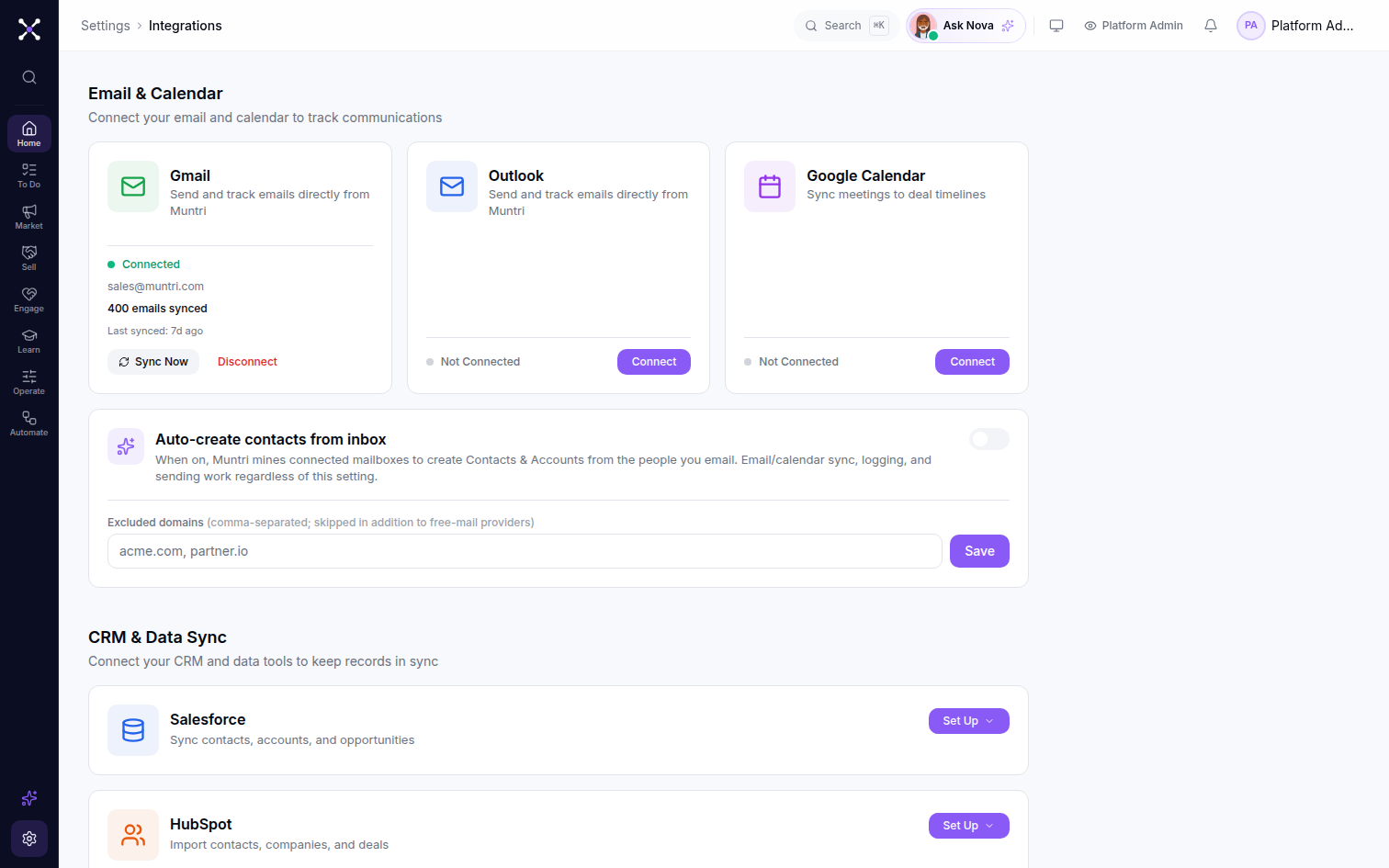
Each rep authorizes their own Gmail and Calendar from Settings, on Google's native consent screen. Nothing to install, no forwarding rules, no BCC address to remember.
Muntri matches each message and calendar event to the contacts on it and files it on the right account and deal timeline, automatically, so activity is always current without anyone touching a CRM field.
On connect, Muntri reaches back through up to two years of email and forward across upcoming meetings, paginated and rate-aware, so a new workspace opens with a full relationship history already in place, not an empty timeline.
Turn on inbox mining and Muntri suggests new contacts and accounts from the people in your inbox, so buying groups fill out on their own. It's off by default, opt in per workspace, and you can exclude domains you never want mined.
Muntri reads what it needs to build an accurate timeline and nothing more. Logging works from message metadata, so who, when and which thread, rather than storing the full body of your mail.
Muntri matches senders, recipients and threads to records. Auto-logging runs on metadata, keeping message contents out of the CRM.
Events and their attendees log to the right account and deal, so every meeting shows up on the timeline without manual entry.
Each user connects their own account, inbox mining stays off until an admin turns it on, and disconnecting stops all sync immediately.
Connect in a click and open your workspace with a full history already in place, no manual logging, ever.